Plugin
Convexity
The final word in compression
- 1.0
- VST3 · AU · AAX
- Lifetime upgrades
Features
- First compressor allowing drawing of the time component of compression
- 19 dynamics algorithms, from classic compression to experimental
- Delta Expose analyser built in
- Black–Scholes–Merton, quantum-tunnelling and Navier-Stokes algorithms
- Spring and echo compression
- Upward compression, gating, transient shaping
- The limiter from Dogma
- LFO, envelope, step and Euclidean modulators
- External sidechain, lookahead and feedback pathway
- Over 100 factory presets and scoped randomisation
- Runs on its own or inside Dogma
- Free upgrade for Curvature owners
- Lifetime free upgrades
COMPATIBILITY & FORMATS
Open the plugin before purchase to make sure it runs on your computer. Hashes at the bottom of the page.
- VST3, AU, AAX (no iLok needed)
- VST3, AAX (no iLok needed)
- VST3
Download
Installation
AP Mastering plugins are super light weight and do not ship with installer wizards and random undisclosed bloatware. If you have ever installed a plugin by simply moving it into your plugin directory, then you already know what to do. For anyone who is stuck, watch this youtube video.
Choose how your compressor thinks
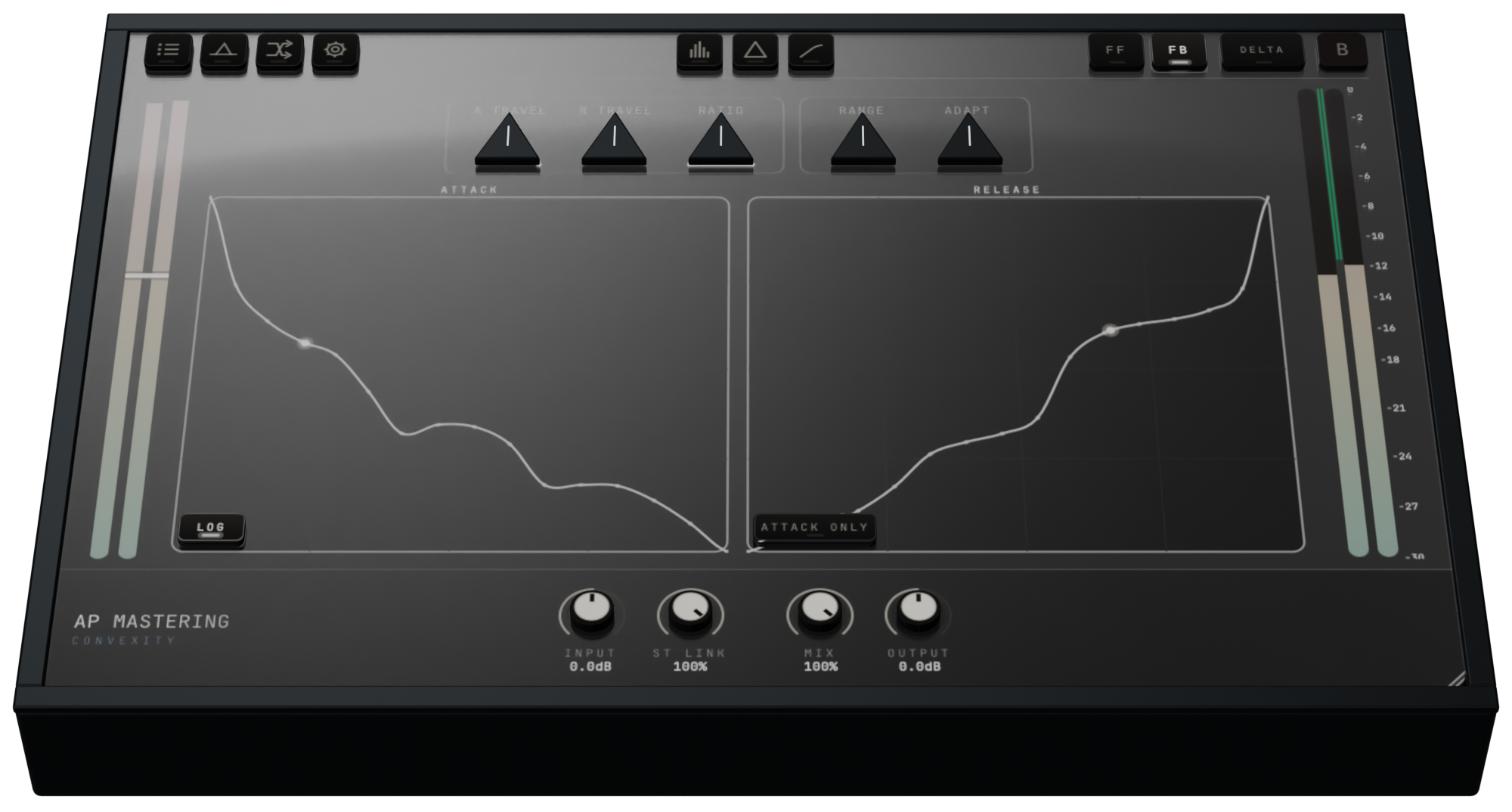
Convexity builds on the DSP that was achieved previously with Curvature, adding even more totally unique dynamics engines, with some groundbreaking additions such as the fully integrated instance of Delta Expose. Creating a compression workspace built for shaping and seeing the exact response.
Currently there are 19 algorithms, from familiar compression to envelopes driven by fluid motion, option pricing and quantum-tunnelling probabilities. The Contour module adds the never-been-done-before ability to physically draw the time component of compression. The addition of 4 modifier modules allows extensive modulation that can make the compressor act in new creative ways not typically associated with normal dynamics processors.
Draw compression directly
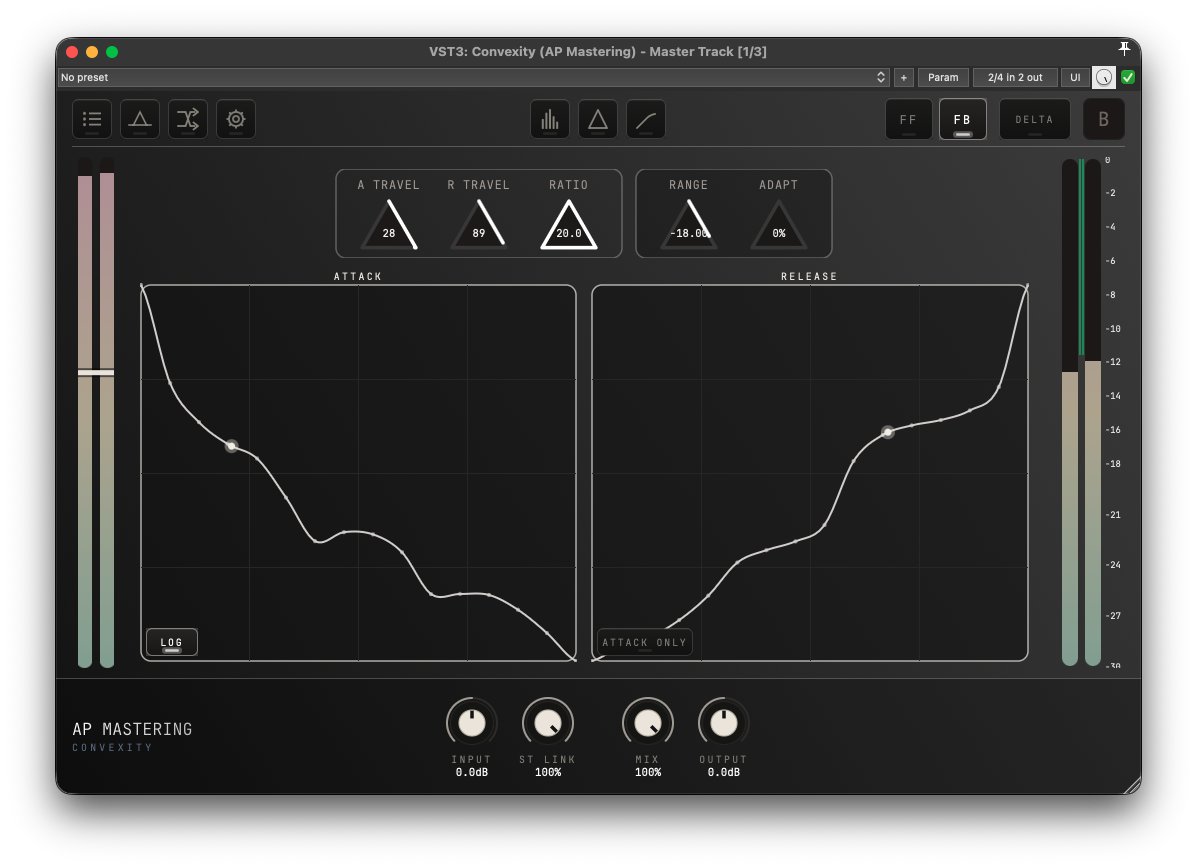
Contour lets you draw the attack and release paths in the time domain. When the input rises above threshold it traverses the attack curve, slew limited by the travel knobs. You can consider the travel knobs essentially defining how wide the drawing windows are in time. What you are drawing, is the exact ingredient that essentially every compressor's transfer function chart has hidden from you. It is the secret time component, not just revealed but able to be directly edited for the first time in a commercial plugin.
See the response in the time domain
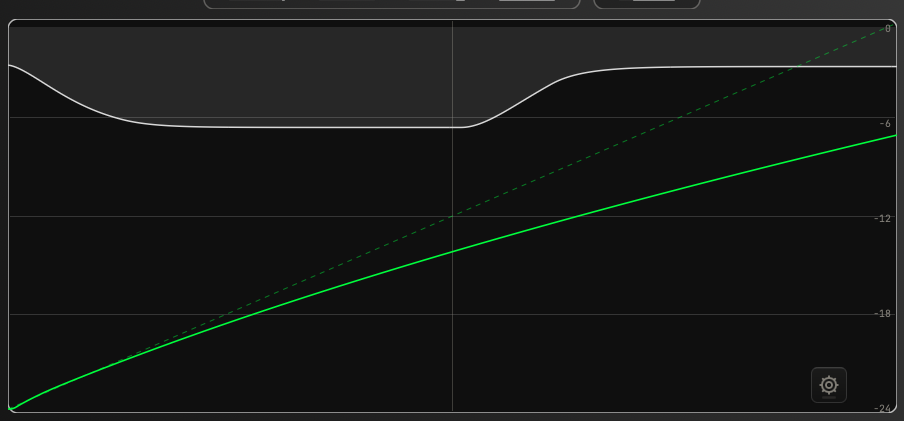
Delta Expose comes built in to Convexity and it is accessible from anywhere in the plugin by clicking the greek delta button. What it shows you is not some kind of prediction or estimated theoretical response, it is the exact response measured using the same delta based analysis technique employed in the standalone Delta Expose plugin. In the case that you draw a compression curve with Contour and then look at Delta Expose, it is unlikely that the two will agree precisely. This is expected. The method that Contour uses to produce the compression is a bit experimental - this is because it is actually impossible to "draw compression" in the time domain for technical reasons relating to the handover between the attack and release phases. But I did it anyway. The tradeoff is that my solution to the handover problem means the curves you draw can get slightly mangled in reality and will not come out exactly as drawn when analysed. Accuracy and utility are separate things.
Computed "transfer function"
The most classic visual representation of compression which plugins typically use, is the so called transfer function. This is the green line which is overlaid on the Delta Expose chart in Convexity. But there's a secret most audio engineers don't know about this famous line: transfer functions are time invariant. Since compression is all about time - gain reduction applied with time constants - using a transfer function makes about as much sense as measuring speed with a ruler. So it's like saying: "let's pretend our compressor has 0ms attack and release, despite the fact that's not the case, and also assume that our input and output signals are static DC voltages, despite the fact that's not the case, but assuming that, this is what the input and output relationship would look like".
Yet, this is the primary visual cue through which most audio engineers understand compression. And because it makes zero sense, of course it is normally just a theoretical pretend representation and not anything which is actually measured. Well Convexity uses a technique to actually measure this. Of course there are assumptions, just like there are with Delta Expose, but assumptions that result in an actual measurement are better than assumptions that result in fake lines.
Not only experimental stuff
Classic and Analog as well as the extremely powerful Log2, cover a broad range of everyday compression characters. Feed-forward and feedback detection change how the supported engines respond.
You don't have to be an expert
The preset bank includes opto-style levelling, FET-style snap, bus glue and vari-mu-inspired warmth starting points which go in the direction of those classic sounds. If you just want something quick and easy, Auto is maximally easy since all you have to do is turn up the gain and it just magically sounds good. In total there are over 100 presets so you can just click through stuff before diving into the available complexity.
Compression borrowed from other sciences
Fluid uses a simplified fluid-flow model based on the Navier–Stokes equations. The detector has resistance, inertia and pressure: changing viscosity, density and compressibility changes how it moves. At more extreme settings, that movement contributes texture as well as level control.
Black–Scholes–Merton treats the sidechain as a changing asset price, estimates its volatility and uses an option-pricing model to drive the response. It gives the compressor another way to react to the changing signal, beyond a conventional level envelope.
Quantum uses a tunnelling-probability model to decide when the detector advances.
Chaos introduces resonance based chaos derived from the input signal into the detector path. If you analyse the behaviour in the Delta Expose view, you will see why it is called Chaos.
Spring treats the envelope as a mass on a spring. It can overshoot, bounce and settle, giving rapid gain reduction an after-effect.
Echo delays the signal inside the detector, so a hit causes flutters later. This can be interesting to introduce new rhythms to electronic percussive elements - or any other creative application you find.
More
Upwards brings quieter details up.
Gate is a solid sounding noise gate
Transient is a transient shaper.
Brick is a transparent but not particularly loud limiter.
Dogma is the exact master limiter algorithm taken from Dogma.
Turn dynamics into part of the arrangement
A compressor that moves with the song
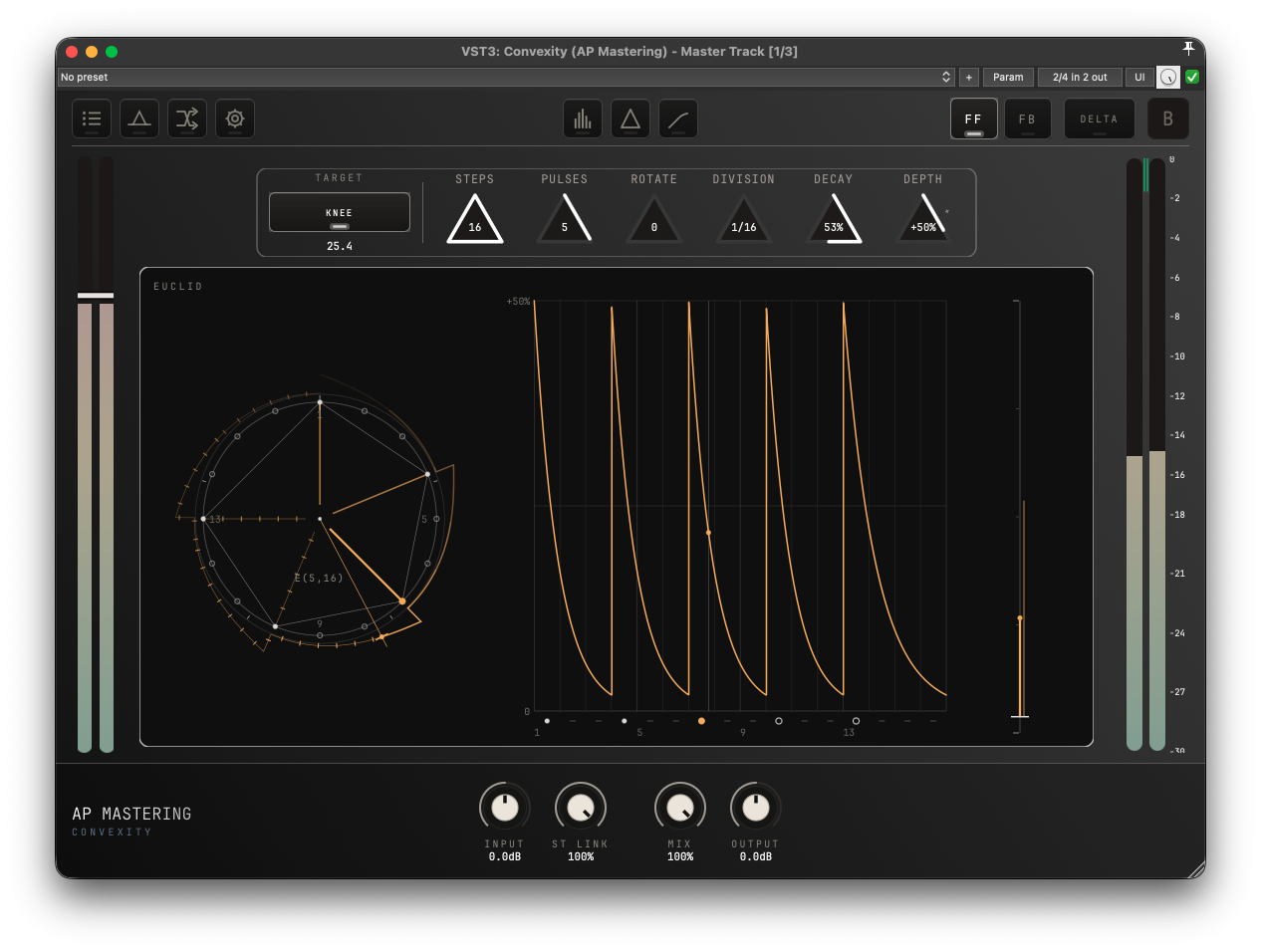
Use an LFO, envelope follower, step sequencer or Euclidean rhythm to move continuous parameters of the selected algorithm. You can give the compressor more rhythm without drawing lanes of DAW automation.
Side chain
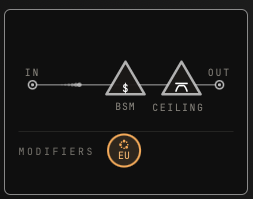
Of course Convexity can easily handle external sidechain inputs. You can also shape that input with filtering, or add lookahead when you want the compressor to anticipate a hit. The routing view keeps these choices visible alongside the selected engine and its modifiers.
Audio Feedback recirculates the output for extra interaction and colour, separate from the feed-forward/feedback detector choice.
Ceiling adds a final saturating boundary, with DC bias for even order harmonics.
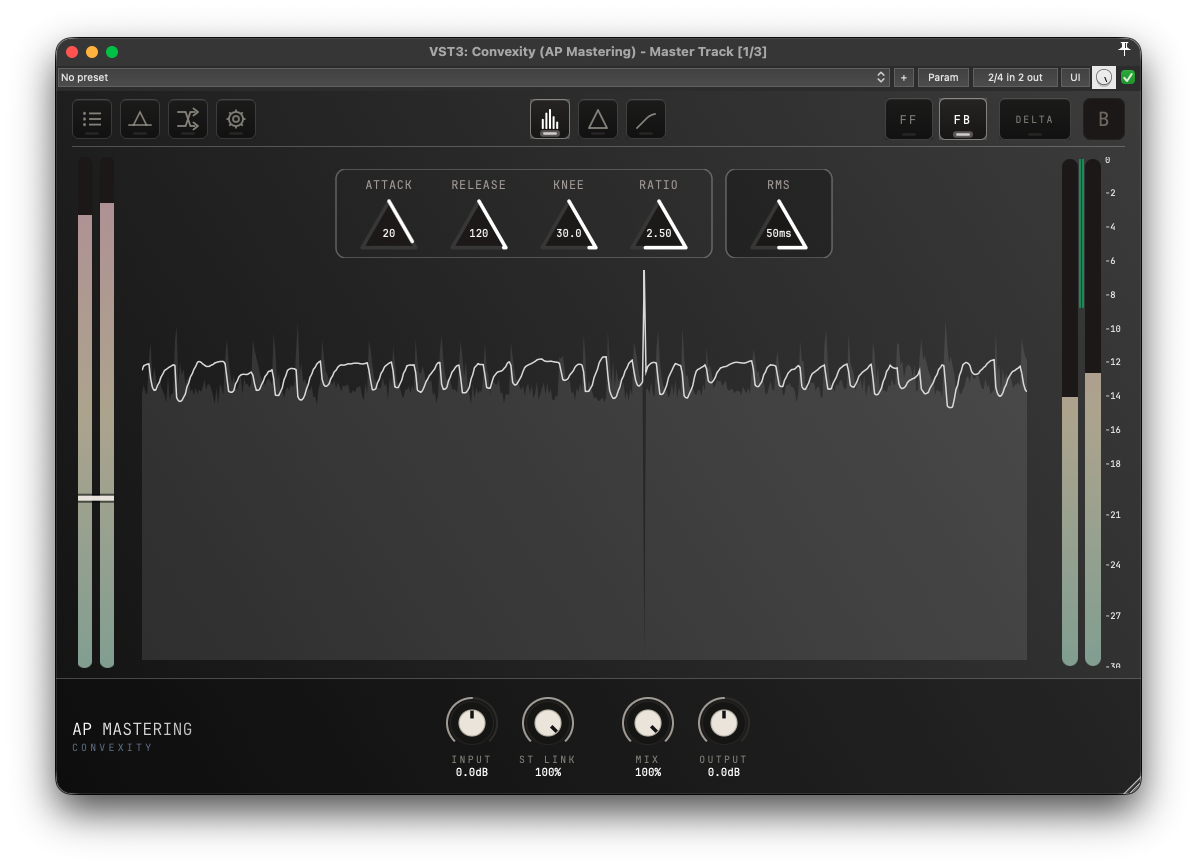
Gain reduction history
The scrolling gain-reduction chart is a familiar sight for most audio engineers.
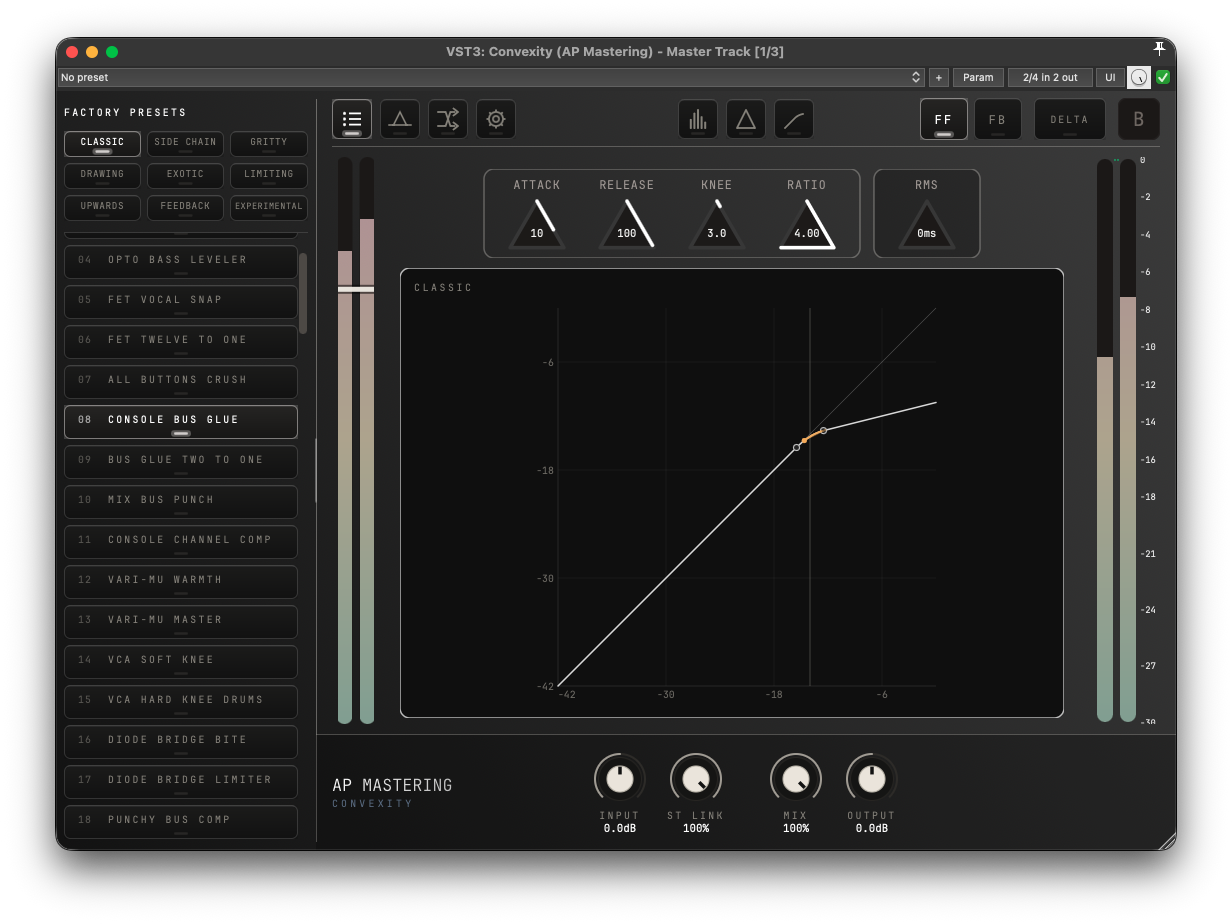
Over 100 presets
The factory bank spans Classic, Side Chain, Gritty, Drawing, Exotic, Limiting, Upwards, Feedback and Experimental sounds. Presets keep your overall Input, Mix and Output settings in place.
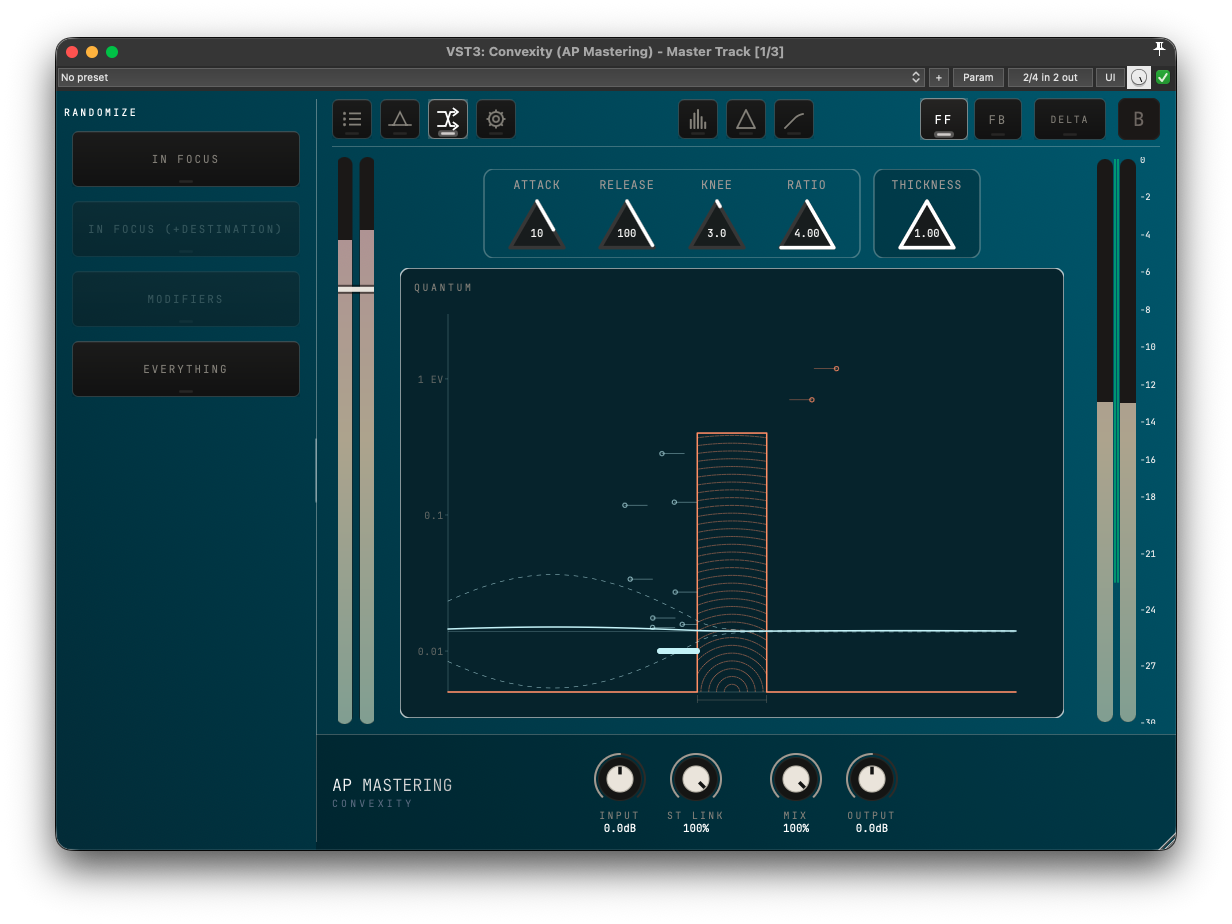
Scoped randomization
Randomise the engine in focus, including Contour's curves, or explore new modifier settings and destinations. Everything chooses an algorithm and a new modulation setup while preserving the routing modules.
Free lifetime upgrades
Convexity is Curvature's successor, and it is a free upgrade for all Curvature owners.
Dogma integration
If you have licensed both Convexity and Dogma on your machine, it will show up inside of Dogma's chain and integrate perfectly.
Verify hashes
The Mac installers are signed and notarized by Apple, so macOS verifies them itself when they are first opened. Hashes are listed for Linux and Windows.
To verify the integrity of the downloaded files, make sure the hashes are identical. On Linux use the command:
shasum -a 256 /path/to/file
On Windows, open PowerShell and run:
Get-FileHash "C:\path\to\file" -Algorithm SHA256
Hashes
- 7e7a98e94f82ca3ceacafa0bd99a4e73d2e2abd946b63c3708d8b9896bcebeb8
- f839019da609a958a76644e972d1d9a24c73a7b13ae833c7ae4ca10a4451fac7